Open source · Local first · Cross-platform

Your Telegram files, organized.

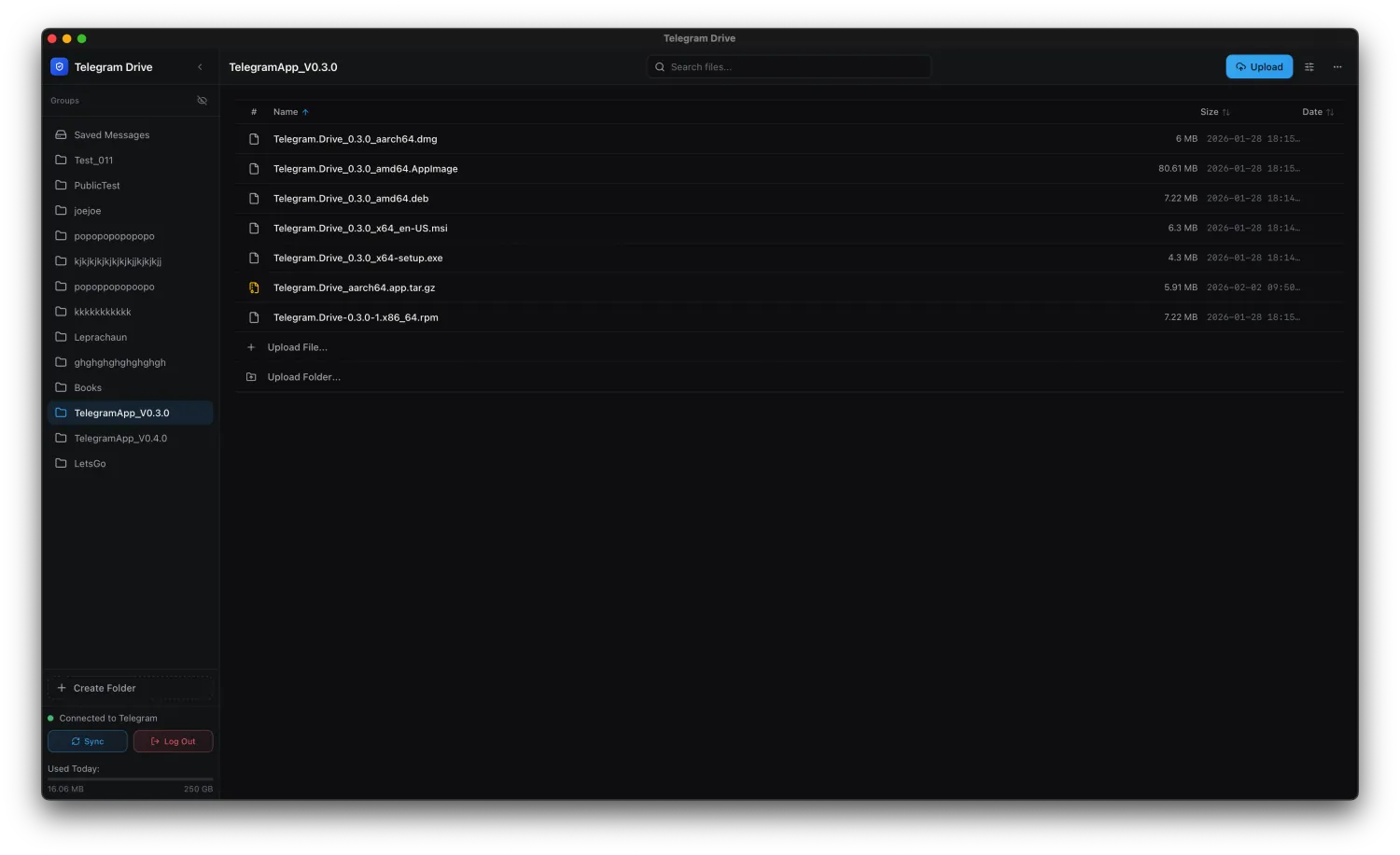
Telegram-Drive gives Saved Messages and your channels a focused file workspace—complete with uploads, previews, desktop folder sync, streaming, search, and sharing.

Windows · macOS · Linux · Android 7+

Telegram-Drive desktop workspace showing folders and files
Your Telegram accountFiles stay in Saved Messages and channels.
Runs on your deviceNo Telegram-Drive file-storage account to create.
Every feature is freeThe optional $5 license only removes sponsor placements.

Telegram already holds the files. Telegram-Drive adds the workspace around them.

Telegram-Drive folder list view
01 / ORGANIZE

Move through large folders without friction.

Use grid or list views, search across your workspace, drag files in from the desktop, and manage batches without losing context.

  • Multi-select and bulk actions
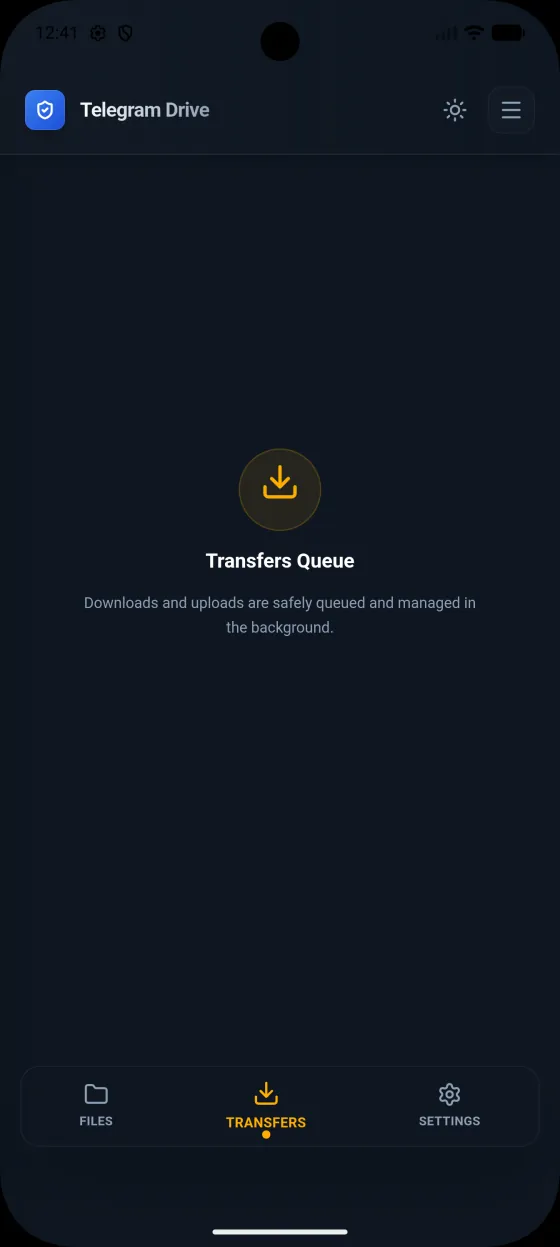
  • Transfer queues with retry and cancellation
  • Channels presented as familiar folders
02 / PREVIEW

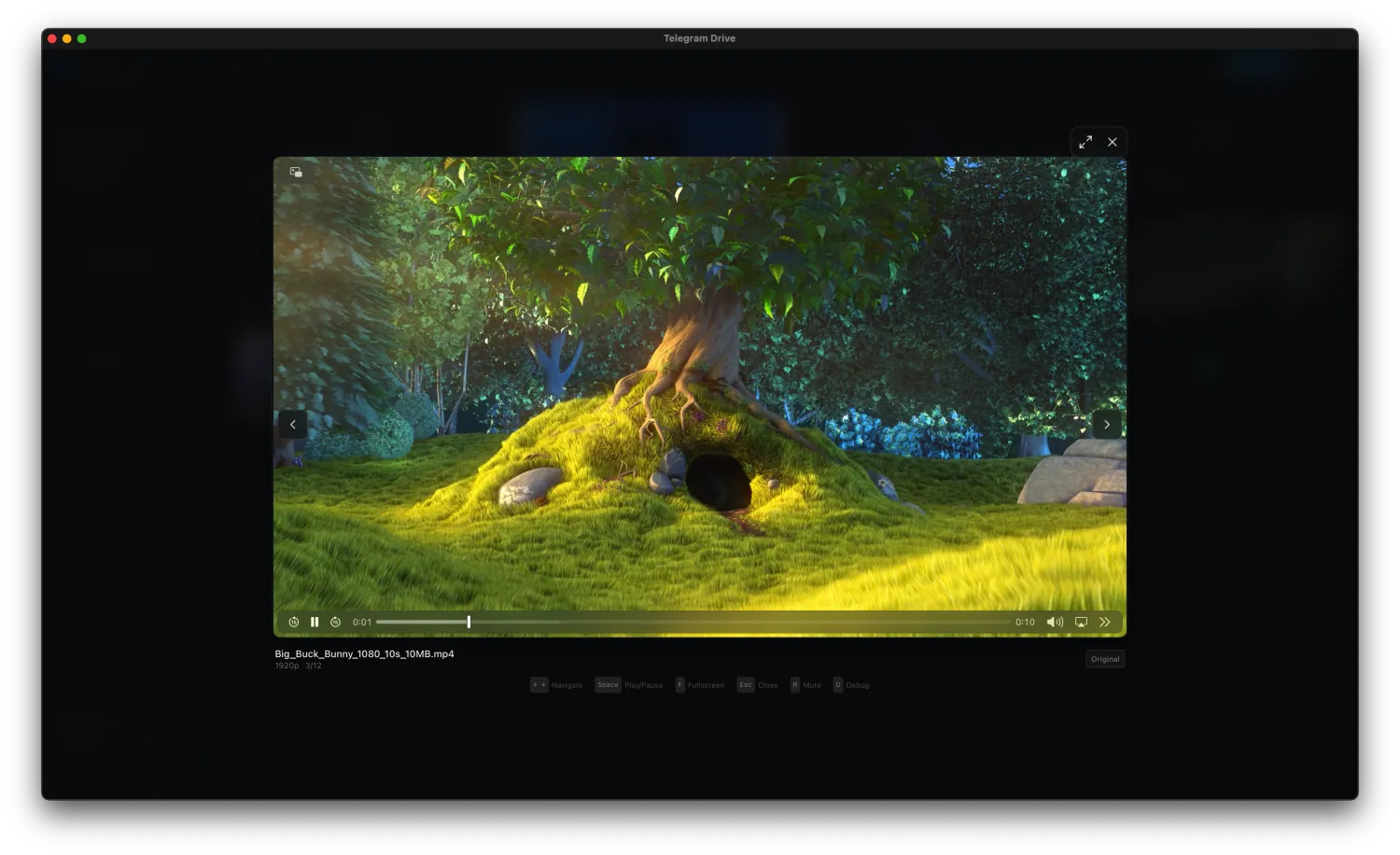
Open media without leaving the workspace.

Preview images and PDFs, listen to audio, and play video through the built-in media experience. On desktop, optional FFmpeg support enables adaptive HLS playback and local transcode caching.

  • Image, PDF, audio, and video viewers
  • Archive browsing and extraction
  • Local preview and transcode caches
Video playing inside Telegram-Drive

Capabilities

Useful tools, kept in proportion.

The core experience stays a file manager. Advanced features are available when you need them and stay out of the way when you do not.

01

Flexible uploads

Files, folders, drag-and-drop, retries, remote URLs, and queued transfers.

02

Controlled sharing

Telegram links and password-protected local links with expiration controls.

03

Optional encryption

Protect selected transfers with authenticated TDENC2 envelopes and local vault keys.

04

WebDAV

Opt-in local file-manager access with capability links and read-only defaults.

05

REST API

Local automation endpoints protected by an API key and disabled by default.

06

Folder Sync

Opt-in bidirectional sync between local folders and Telegram channels on Windows, macOS, and Linux.

Desktop Folder Sync

Keep a local folder and a Telegram channel in step.

Map folders to channels for bidirectional sync on Windows, macOS, and Linux. Telegram-Drive compares what is local, what is remote, and the last successfully synced state before it plans a change.

Three-tree reconciliation

Local TreeFiles on this computer now
Synced TreeThe last confirmed shared state
Remote TreeFiles in the Telegram channel now

Off by default. Folder Sync starts only after you enable it in Settings and keeps that choice across restarts.

Network-safe planningAn incomplete remote scan pauses reconciliation, so a connection failure is not mistaken for deleted files.
Mass-deletion protectionIf planned deletions exceed 50% of the synced baseline, the run stops for review.
Atomic downloadsDownloads finish in a temporary file before replacing the destination, protecting against partial files.
Clear limits and conflictsFiles over 2 GB are skipped and logged. Conflicts can keep the local copy, remote copy, or both.

Getting started

Three steps, then it is your workspace.

Telegram requires every third-party client to identify itself with an API ID and hash. Those credentials are entered once and kept on your device.

Create API credentials

Visit my.telegram.org, open API development tools, and create an application to receive your API ID and hash.

Sign in securely

Use Telegram’s QR device flow on desktop. Phone-code and cloud-password flows remain available when Telegram permits them.

Start with what you have

Saved Messages becomes the home location. Existing or newly created channels appear as additional folders.

Trust model

A local app, not another cloud account.

Telegram-Drive does not operate a file relay or hosted file database. Transfers happen between the app on your device and Telegram.

Local credentialsTelegram credentials, vault keys, and connection settings stay on the device unless you explicitly use encrypted settings sync.
Local services are opt-inREST and WebDAV are disabled by default, bind to loopback by default, and require capability credentials.
Encryption is explicitProtection is optional and recovery is your responsibility. Keep independent backups of important files and recovery material.
Source available for reviewApplication code, build configuration, and release history are public on GitHub.

Android companion

Your workspace, away from the desk.

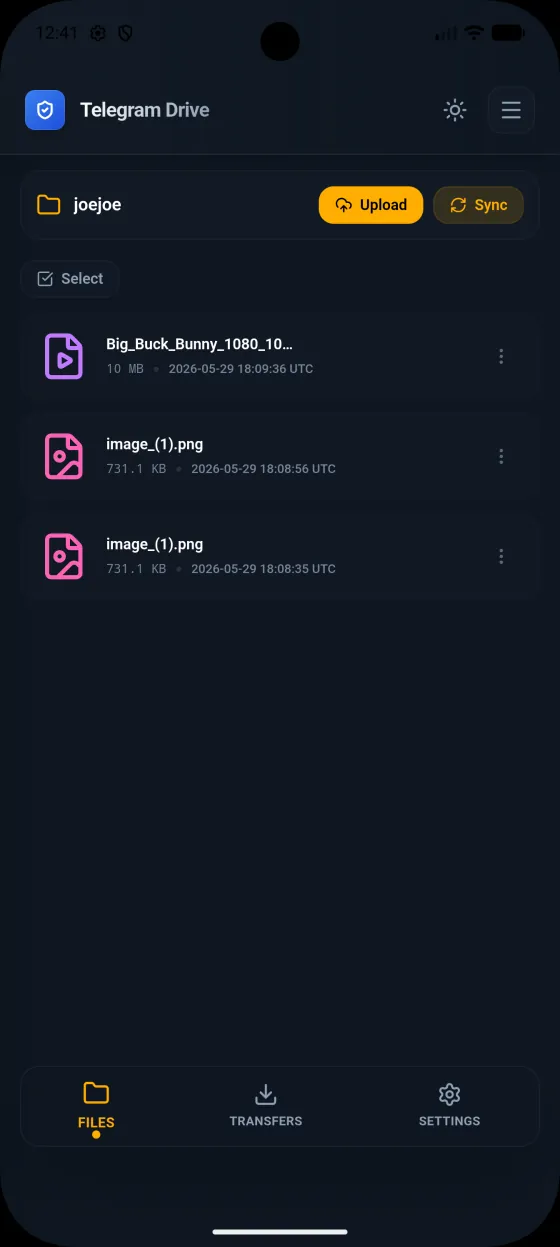
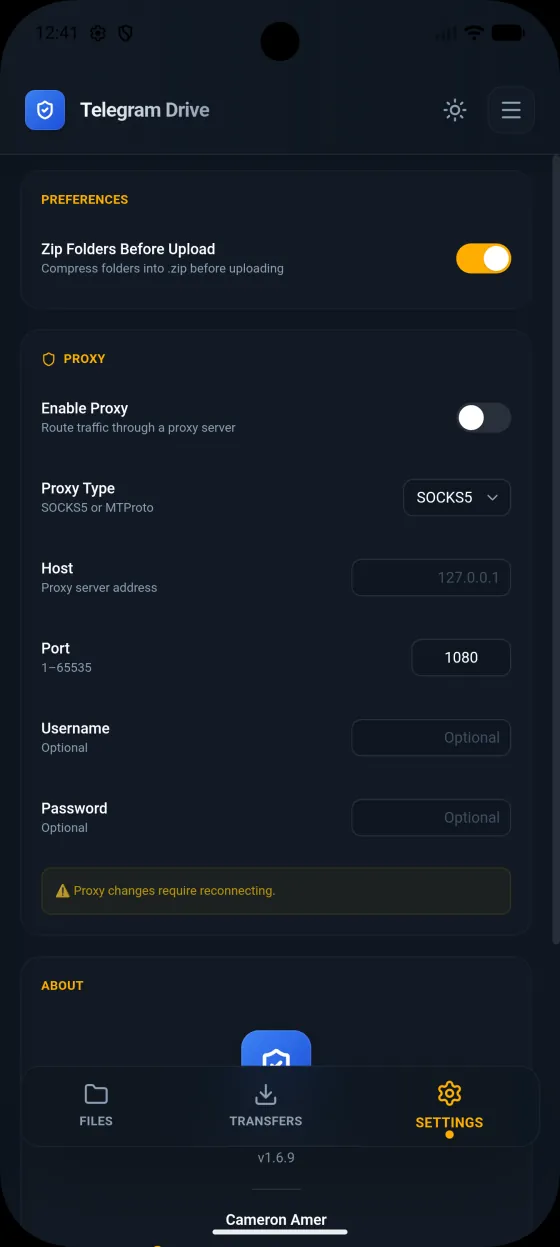
The Android beta brings touch-first folder navigation, uploads, transfers, sharing, and settings to Android 7.0 and newer.

View the Android beta release ↗

Telegram-Drive file workspace on Android
Telegram-Drive transfer queue on Android
Telegram-Drive settings on Android

Optional supporter license

Use every feature free. Remove ads for $5.

There is no Pro tier and no subscription. The supporter license changes one thing: sponsor placements are removed from the supported desktop app.

Lifetime ad-free
$5

One verified PayPal payment. No recurring charge.

Same product. Quieter experience.

  • Every application feature remains available to free users
  • Sponsor placements removed on up to three supported desktop devices
  • Normal application updates keep the device activated
  • Recovery code supports reinstalls and additional eligible devices
Download and activate in Settings

Checkout starts only inside Settings → Privacy → Supporter. Save the recovery code shown after activation. Refunds are not automatic or guaranteed except where required by law. Refunds, reversals, chargebacks, or upheld disputes revoke the associated entitlement. Read the Supporter Terms.

Download

Choose your platform.

Desktop installers come from the latest GitHub release. Android remains a separate beta track.

Latest releaseChecking GitHub…

Questions

Before you install.

Where are my files stored?

In your own Telegram account. Saved Messages acts as the home location and channels act as folders. Telegram-Drive does not operate a separate file-storage service.

Is the storage unlimited?

No. Storage and file handling follow Telegram’s account, service, and per-file limits. Telegram-Drive currently limits a Telegram object to roughly 2 GB, with slightly less available for encrypted files because of envelope overhead.

Does Folder Sync start automatically?

No. Folder Sync is off by default and must be enabled explicitly in Settings. On Windows, macOS, and Linux, you can then map a local folder to a Telegram channel and choose how to resolve any conflicts.

Does the $5 license unlock features?

No. Every feature is available in the free version. The lifetime supporter license only removes supported desktop sponsor placements and helps fund development.

Do normal updates require reactivation?

No. A verified device keeps its secure entitlement through normal application updates. Keep the recovery code for reinstalls or another eligible device; the license supports up to three desktop devices.

Are WebDAV and the REST API public?

They are disabled by default and bind to loopback by default. REST uses an API key, while WebDAV uses a capability URL and starts in read-only mode. Network exposure remains under the user’s control.

Is Telegram-Drive affiliated with Telegram?

No. Telegram-Drive is an independent open-source project that uses Telegram’s client API. Review the source and documentation on GitHub.

Make your Telegram files easier to use.

Free, open source, and available across desktop and Android.